Nothing is pulled in
A spend you do not add is not counted. The number is only as true as what you enter.
Budget app, no bank link
Yes. Yelku has no bank connection, so there is nothing to link. Type each spend or scan the receipt. In Daily, home shows Left for today.

iPhone, iPad and Android. No bank login. No ads.
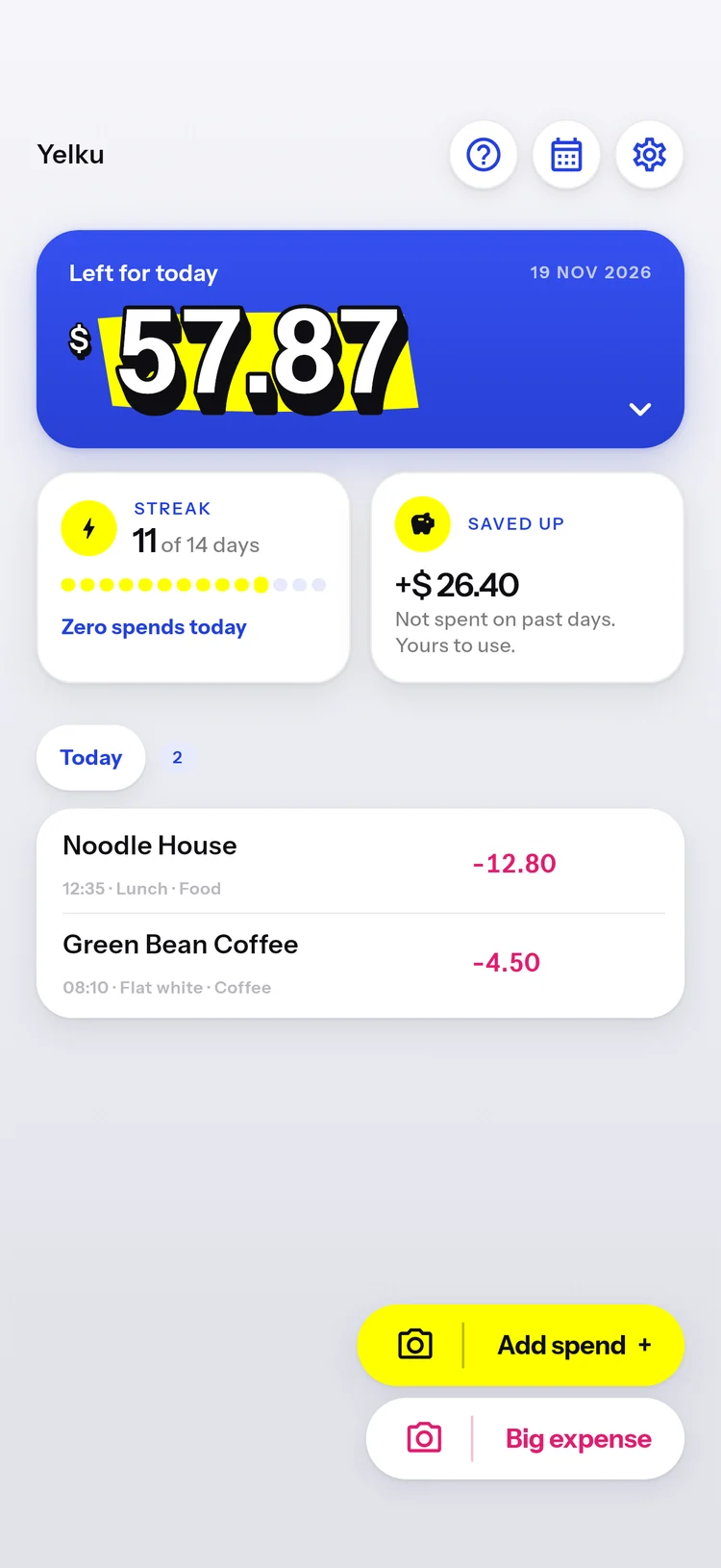
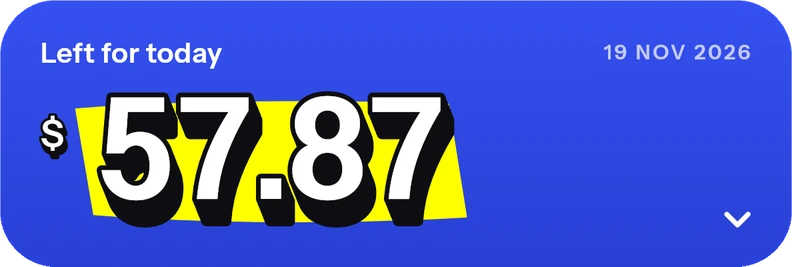
How it works without your bank
No need to count your money: your salary, or whatever you want to live on, is enough.
Try the daily budget calculator first, with your own pot and dates. Or see how an app tells you what you can spend each day.
Choosing an app? What to check in a daily budget app.
Coming from Spendee? Where Yelku and Spendee differ.
Rather not sign up at all? A budget app with no account.
Budgeting as a couple? Share one number on two phones.
Adding a spend
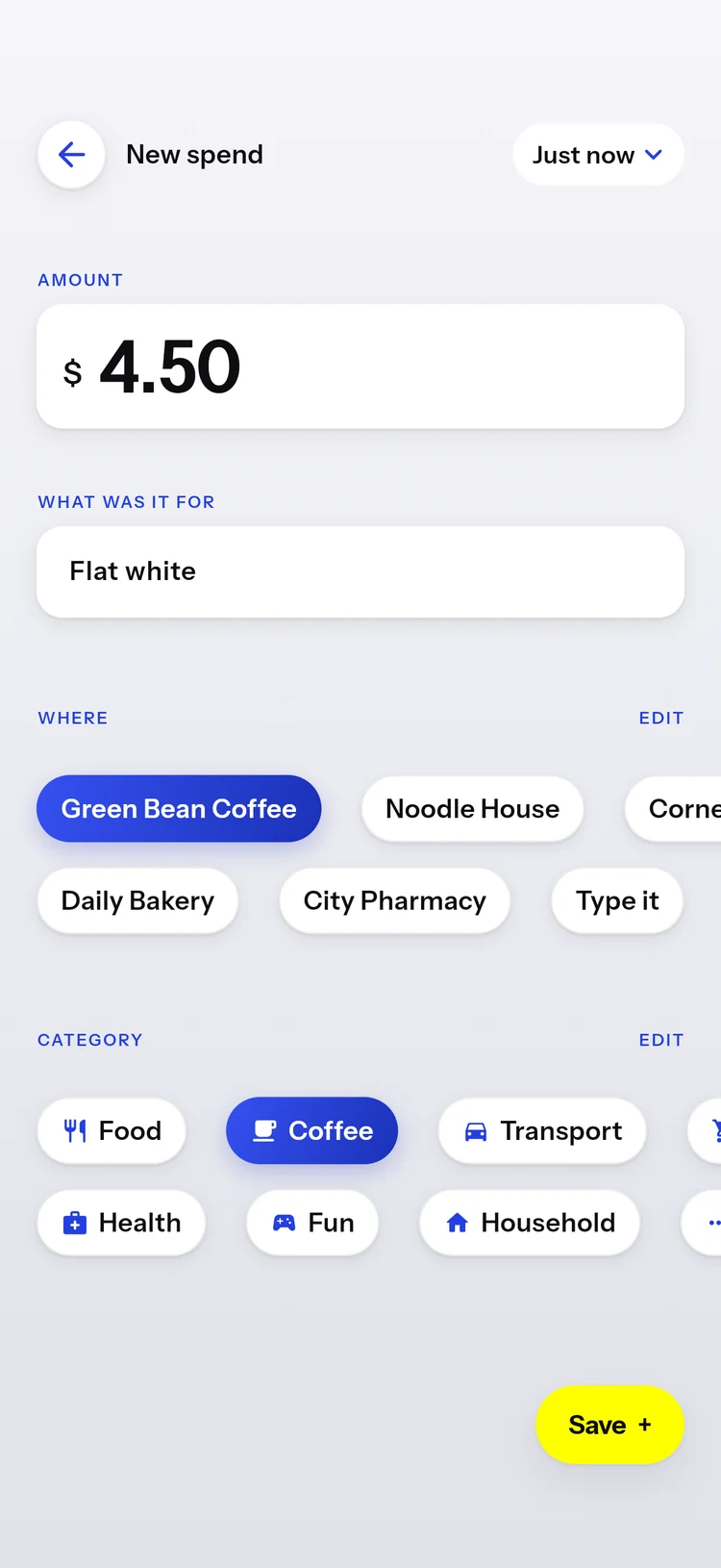
Add spend sits on home. Put in the amount and pick a category. A note and the place are up to you.
The trade
Nothing comes in on its own. That is the point, and it is also the cost.
A spend you do not add is not counted. The number is only as true as what you enter.
Yelku never sees your account. Your pot is the most you want to spend, not what the bank holds.
Yelku logs spends, not income. When money comes in, Add to pot puts it onto the pot.
Pick your level
Neither one asks for your bank, and none of the plans has ads.
Receipt scan, streaks, shared books, and an encrypted backup with an optional Yelku account.
No account, no sign-up. Each day is encrypted on the phone. You pay once. No scan, streaks or backup.
Yearly $49.99 a year, Monthly $9.99 a month, Off-grid $34.99 once. Your store shows your price.
What leaves your phone
Some of what Yearly and Monthly send. Off-grid sends none. More is in the Privacy Policy.
A scan goes to our server for Google Gemini to read. With an account, a kept copy is backed up, sealed.
Install, open, checkout, trial and purchase, after any ad choice. On iPhone, only if you allow tracking.
A spend's place name (or, without one, its note) and amount may go out without your name, email or account.
Questions
Yes. Yelku has no bank connection: there is nothing to link and no access to your accounts. You set a pot, add your spends by typing them or scanning the receipt, and the figures come only from what you enter.
Add each spend when it happens. In Yelku, Add spend sits on home. In Daily, Left for today goes down at once.
No. Yelku has no bank or statement import. You add spends yourself, typed or scanned from the receipt (scan is not in Off-grid).
No, it is optional. With an account, a new phone opens exactly where you were. On Yearly or Monthly without one, the history stays with this install and does not come back after you delete the app or change phone. Off-grid has no account: to move to a new phone, you export a file and restore it there.
Yes. Yearly and Monthly work without a connection, except receipt scan, and shared books do not sync while you are offline. Off-grid makes no network call at all.
No, and it has no ads. In the United States, Yearly is $49.99 a year, Monthly is $9.99 a month, and Off-grid is $34.99 once. Where it is offered, Yearly starts with 3 days free, and you pay nothing if you cancel before it ends. Prices differ by country. Your store shows yours before you pay.
Yes. Make a shared book and pair the other phone by QR code. Everyone on the book sees the same number, and spends land on the other phones as they happen. In Off-grid, the phones swap the book by camera instead, each showing and scanning in turn, so it does not update as you spend.

Yelku for iPhone, iPad and Android.