$ 85.00 today
$ 40.00 is left over and carries to tomorrow: $ 165.00, the $ 125.00 base plus $ 40.00.
Daily budget app
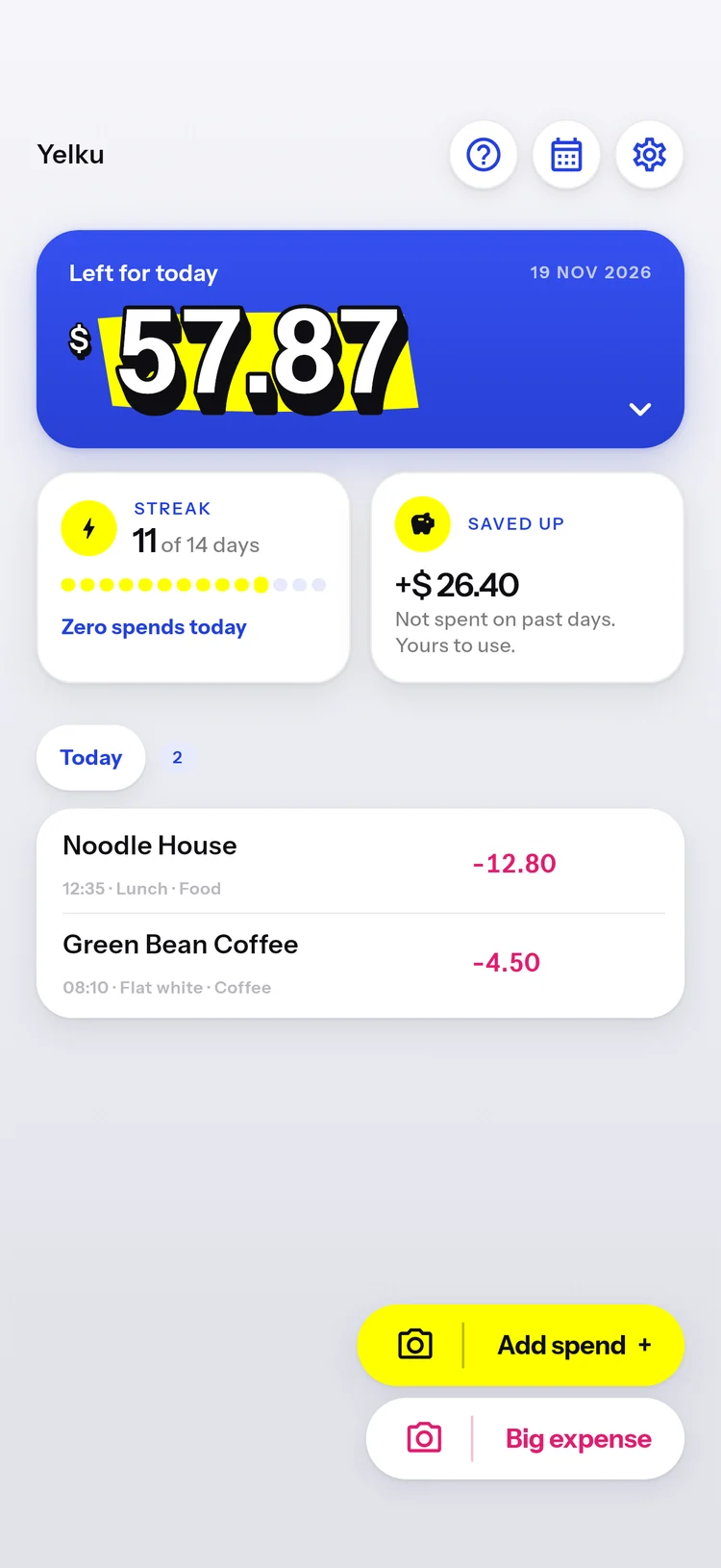
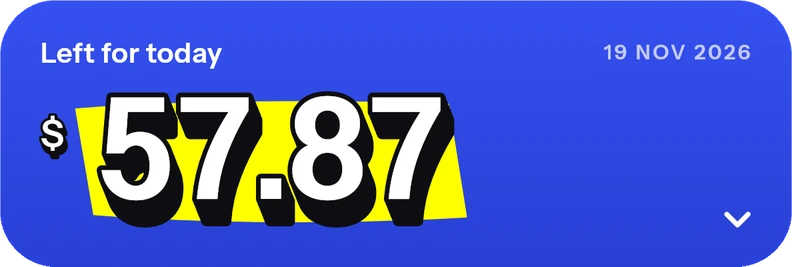
Yes. Yelku shows one number: Left for today. A $ 1,500.00 pot for 12 days, counting today, is $ 125.00 a day.

iPhone, iPad and Android. No bank login. No ads.
How the app gets there
No need to count your money: your salary, or whatever you want to live on, is enough.
Try the daily budget calculator first, with your own pot and dates.
Paid on a set day? How much you can spend per day until payday.
Paid every week? How to budget when you get paid weekly.
The number, explained
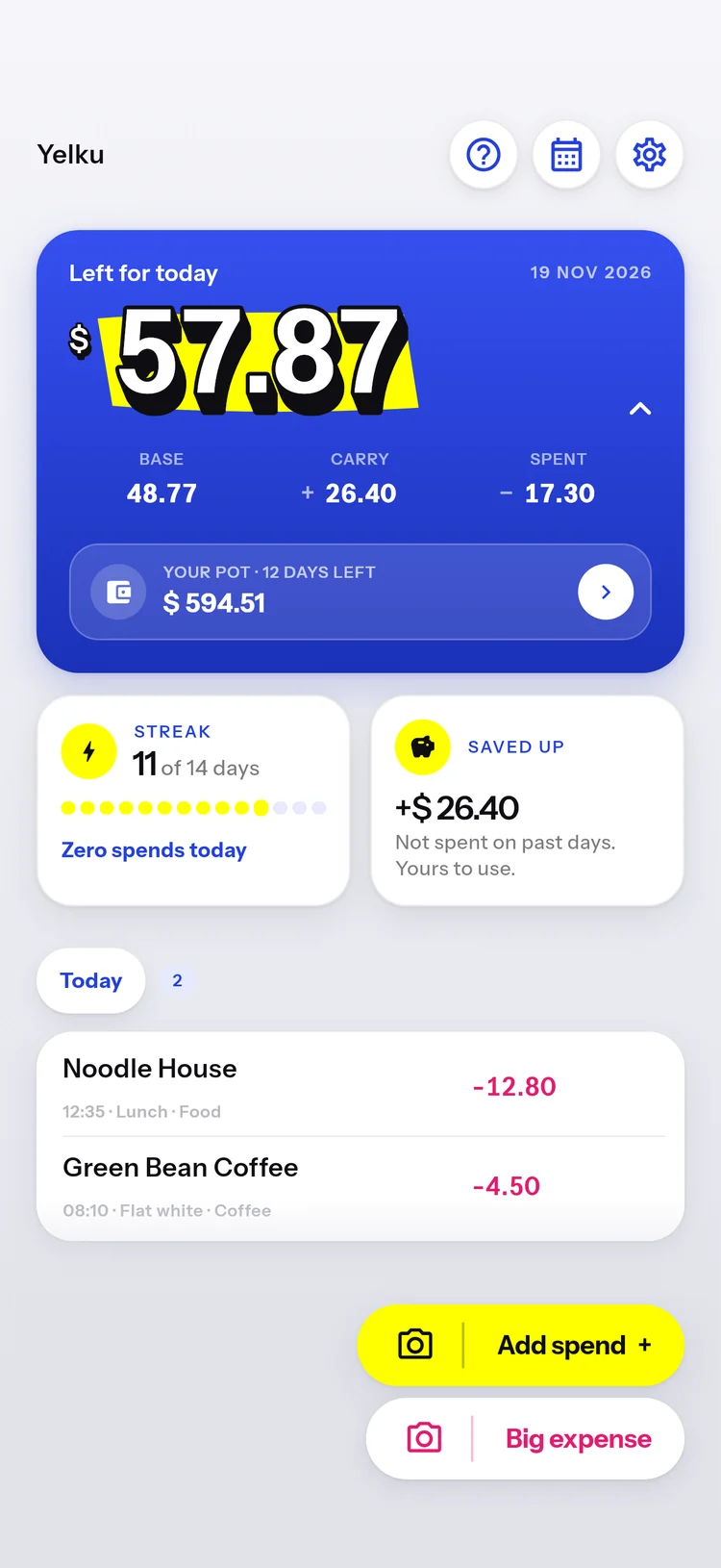
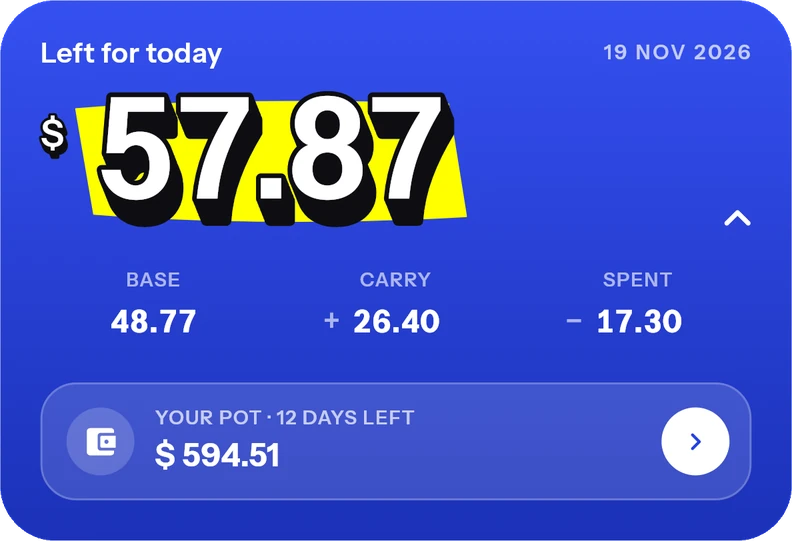
Left for today is not a guess. Open the card and the parts are laid out under it.
Tomorrow
The same $ 1,500.00 pot with 12 days left, counting today. Three different days.
$ 40.00 is left over and carries to tomorrow: $ 165.00, the $ 125.00 base plus $ 40.00.
$ 60.00 over. Tonight the $ 1,315.00 left is split over the 11 days after today: $ 119.54.
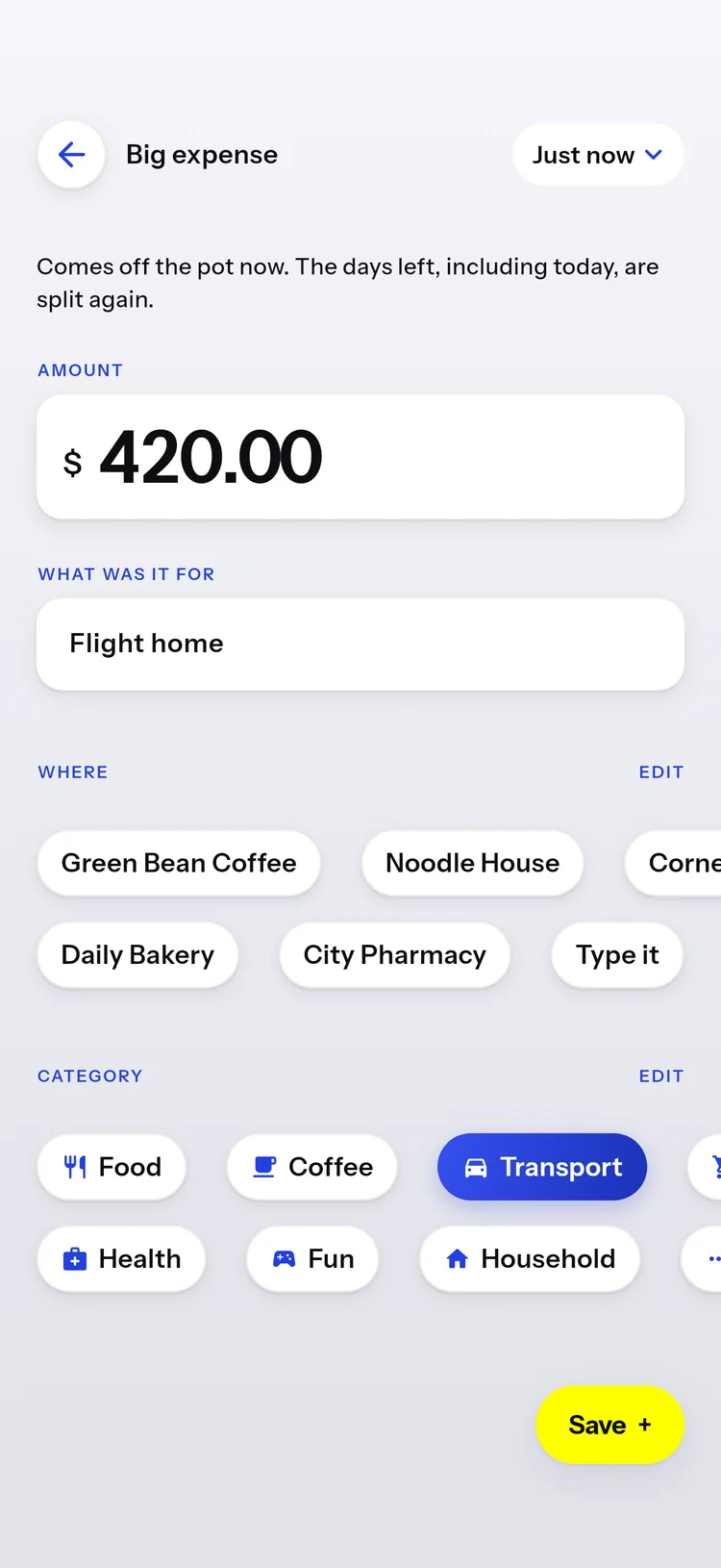
Log it as a Big expense. The $ 1,080.00 left is split again over 12 days, including today: $ 90.00.
Big expenses
A fridge, a trip, a repair: whatever is out of the ordinary for you. You decide what counts as big.
Before you pick one
Not with Yelku. There is nothing to link. The figures come only from what you enter.
No. The pot is just the most you want to spend. Yelku logs spends, not income.
In Weekly: Left this week, Mon–Sun, cut at your end date and, if it falls this month, at the month’s edge.
A budget app with no bank link: how it works.
Choosing an app? What to check in a daily budget app.
Questions
Yes. Yelku is a daily budget app: you set the most you want to spend until the end of the month or a date you pick.
Its home screen shows Left for today. Add each spend, and the number stays true.
When you set your pot, it is divided by the days left, including today. That is the base, and it holds from day to day.
What you do not spend carries to tomorrow, on top of the base.
Spent more than today's number? The carry clears overnight.
What is left of the pot is then split over the days that remain. That sets a new base.
A Big expense, or a change to the pot or the end date, splits it again too.
Yes. When you set up, choose Pick a date and set the day before your next payday, because the date you pick counts as a day.
Later, tap the date under Split until.
No. There is nothing to link. You enter your spends, by hand or by scanning a receipt.
The figures come only from what you enter. Receipt scanning needs a connection, and it is not part of Off-grid.
No, and it has no ads. In the United States, Yearly is $49.99 a year, Monthly is $9.99 a month, and Off-grid is $34.99 once.
Where it is offered, Yearly starts with 3 days free, and you pay nothing if you cancel before it ends.
Prices differ by country. Your store shows yours before you pay.
Yes. Weekly gives you Left this week. A week runs Monday to Sunday.
Only days up to your end date count. When that date is in the current month, as with Month-end, only days in that month count.
What is left at the end of a week carries to the next. Change the mode any time in Settings.
Yes. Make a shared book and pair the other phone by QR code.
Everyone on the book sees the same number, and spends land on the other phones as they happen.
In Off-grid, the phones swap the book by camera instead, each showing and scanning in turn.
So in Off-grid, the book does not update as you spend.

Yelku for iPhone, iPad and Android.