 Yelku
Yelku
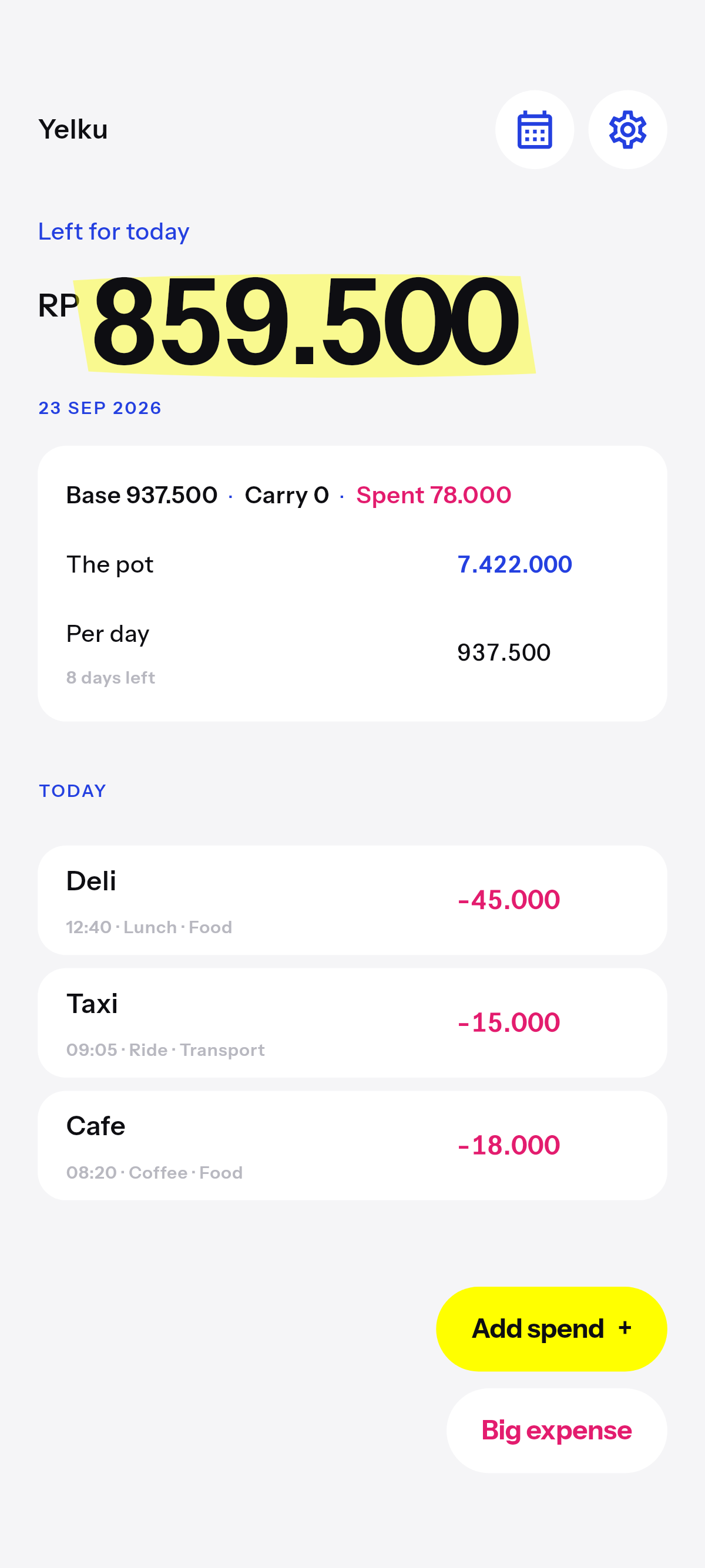
Daily

Daily leftover
The default. What you can still spend today, with yesterday’s leftover as extra if you had it.
What you can still spend today. You type the pot. Yelku splits it across the days left. Log a spend. Yelku does not connect to a bank.
Home
The pot
Bank, cash, an e-wallet, or a cap you will not go past. Yelku splits it across the days left. A trip can live in its own book, so ordinary days do not spend it.

Pot
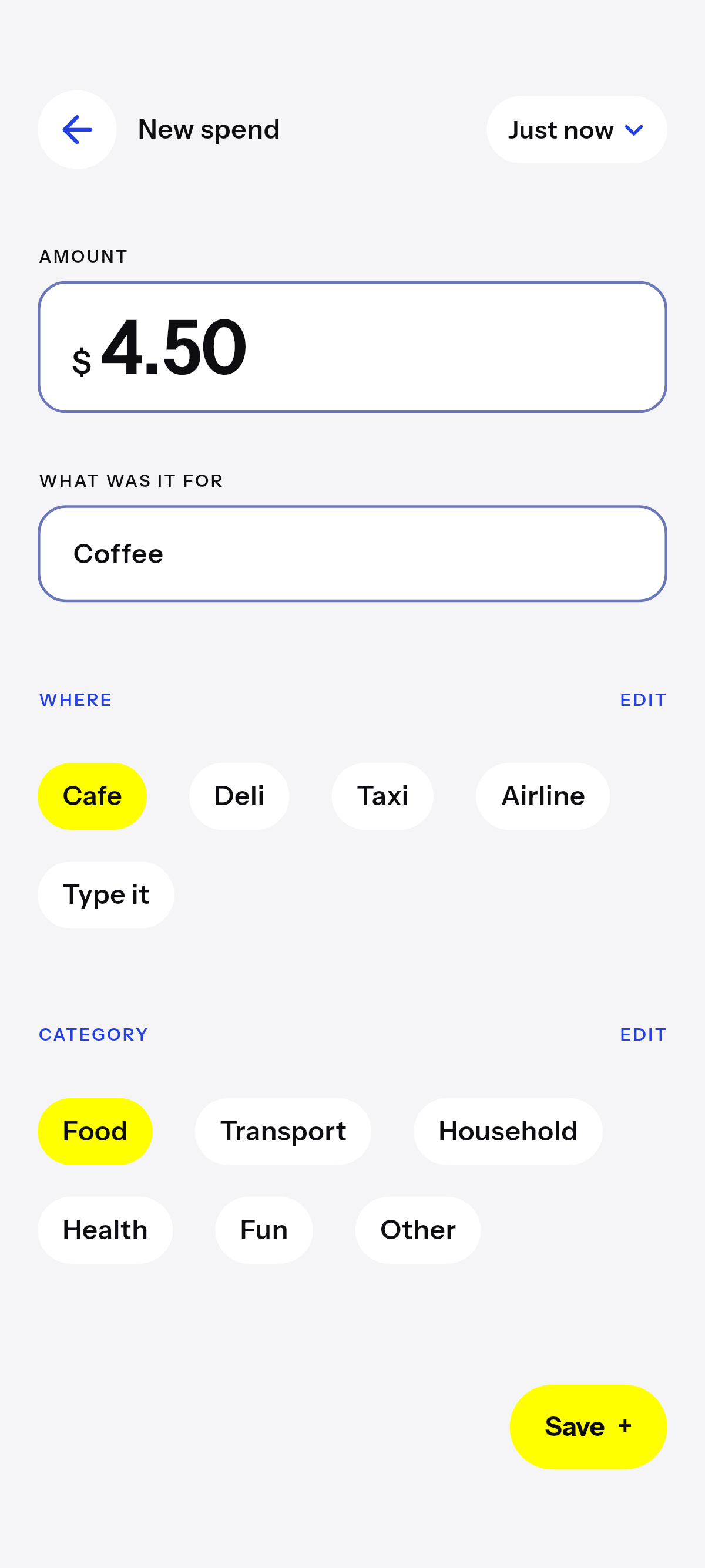
Add spend
Add spend
Amount, where, when in the day, a category. Leftover moves as you log it. Open the day later: the spends are still there, then the categories.
Big expense
A fridge, a trip, a repair — whatever is unusual for you. The days left, including today, are split again.
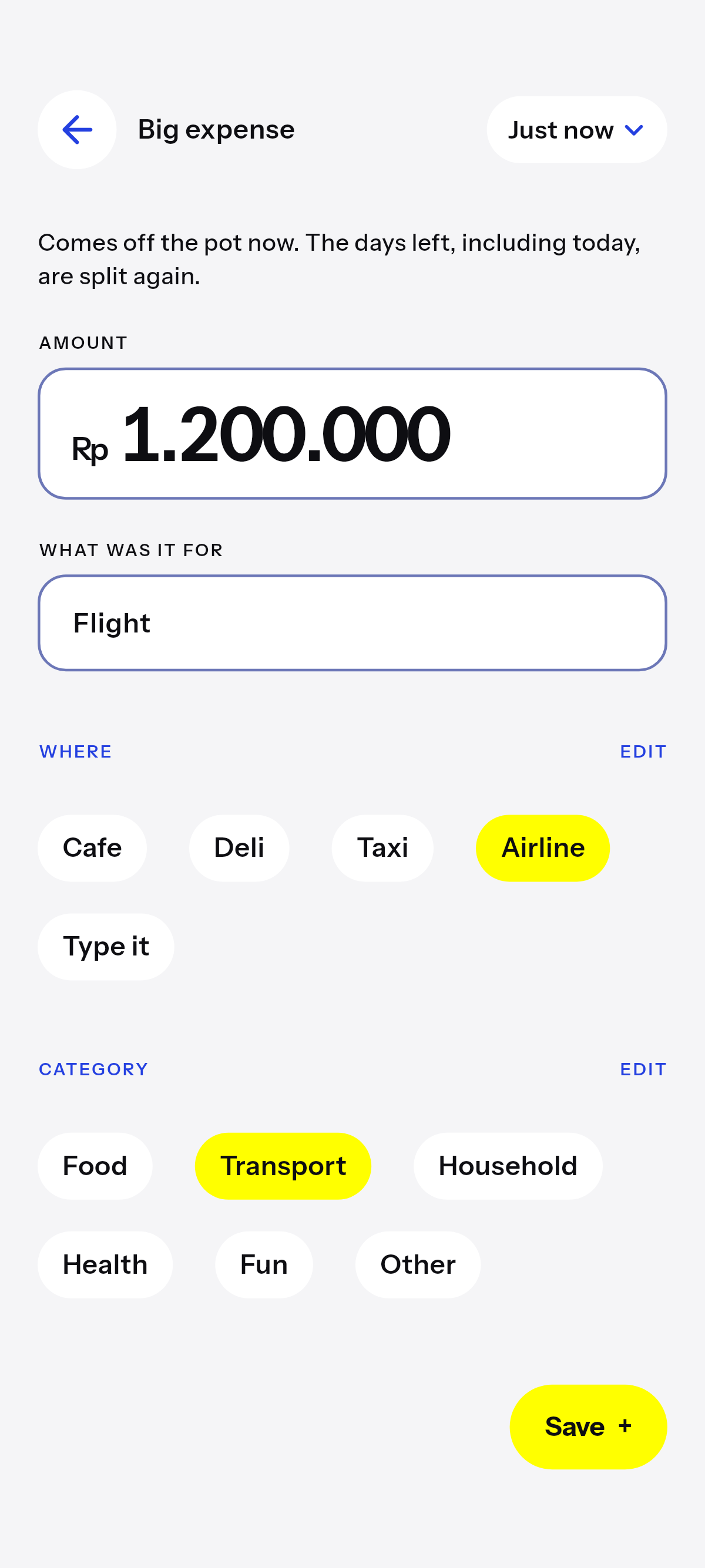
Big expense
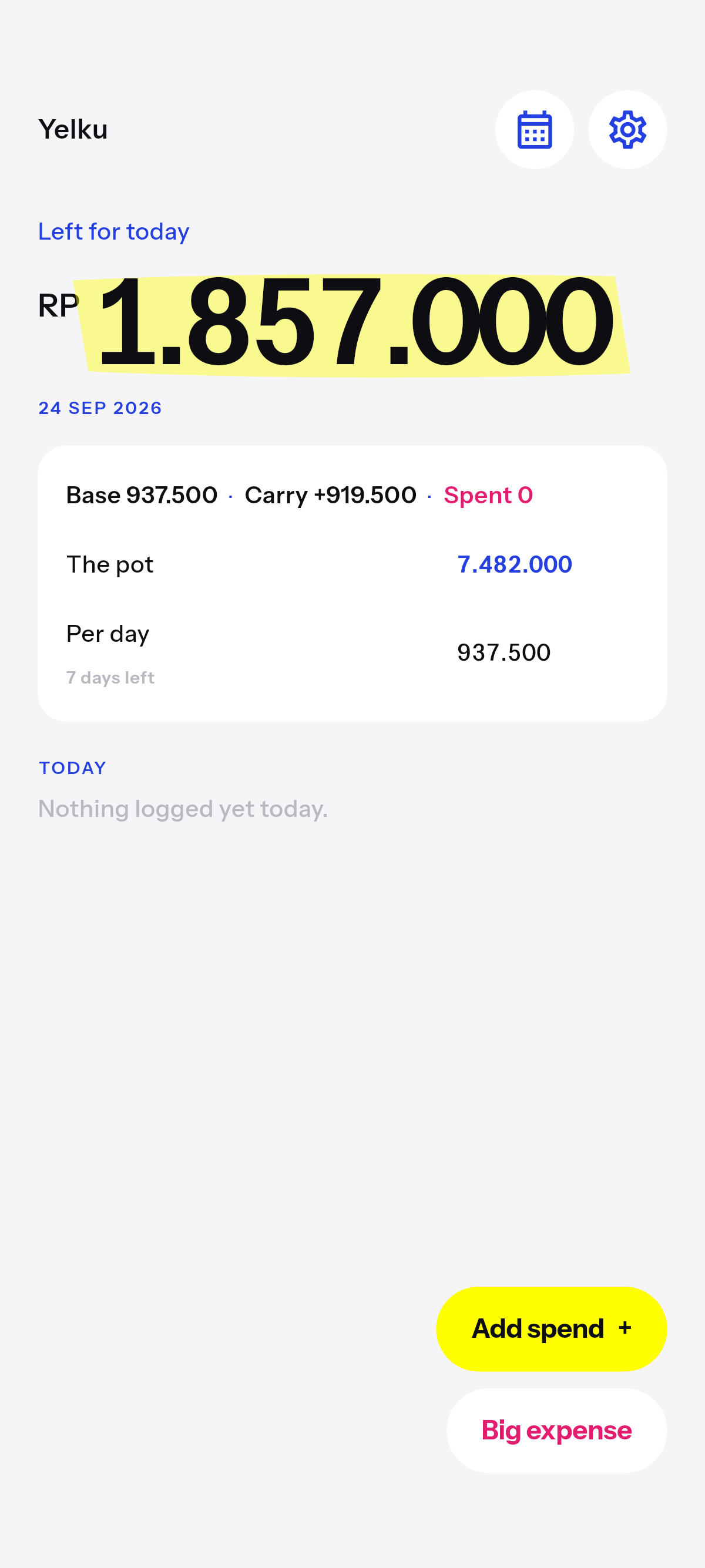
Leftover
Leftover
Spend less, and what is left carries to tomorrow as extra. Spend more, and that shortfall lasts only today. Overnight it comes off the pot, and the days left are split again.
History
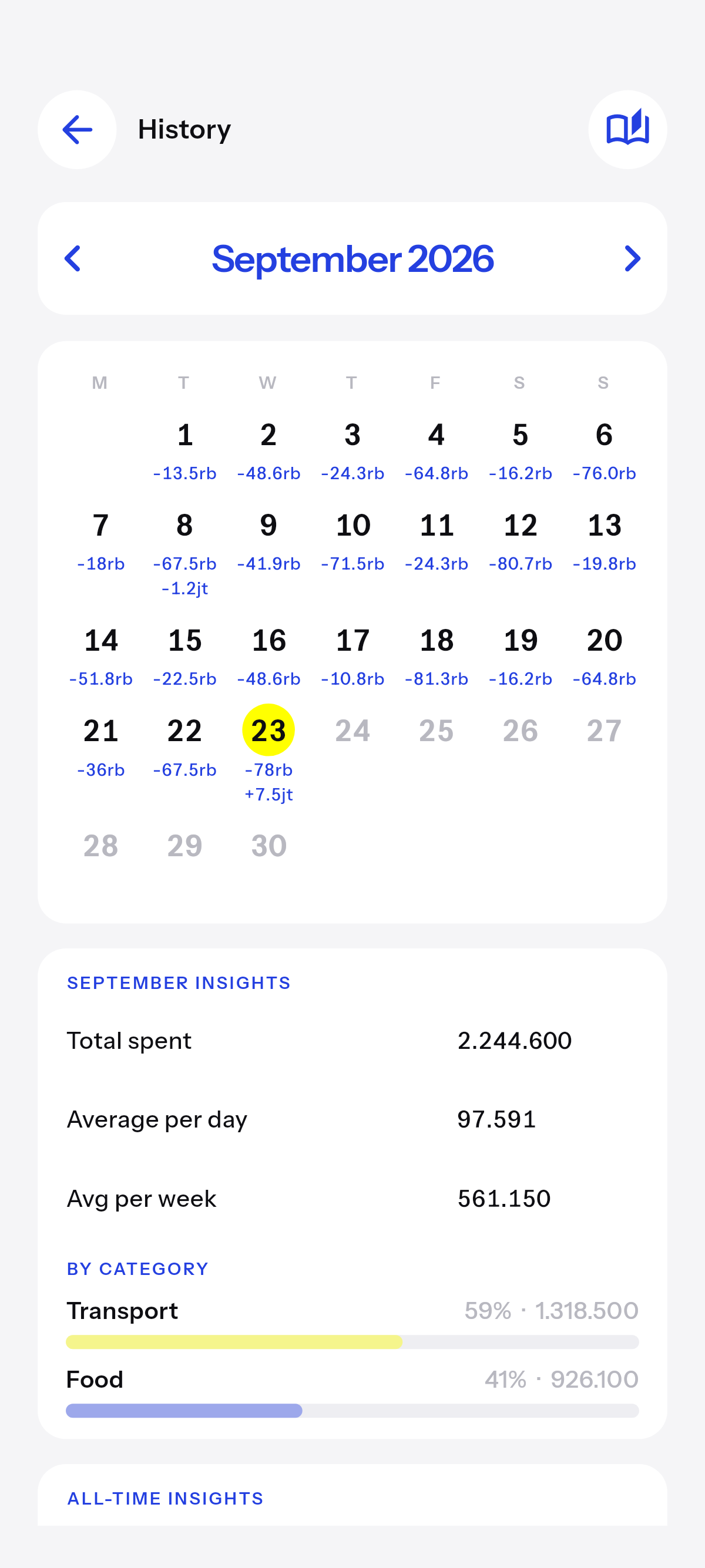
Each day shows what you spent. A second line when the pot moved. Tap a day for the list. Free keeps 14 days open. Older days show a lock — the spends are still there. Plus opens them.
History
Day
That day
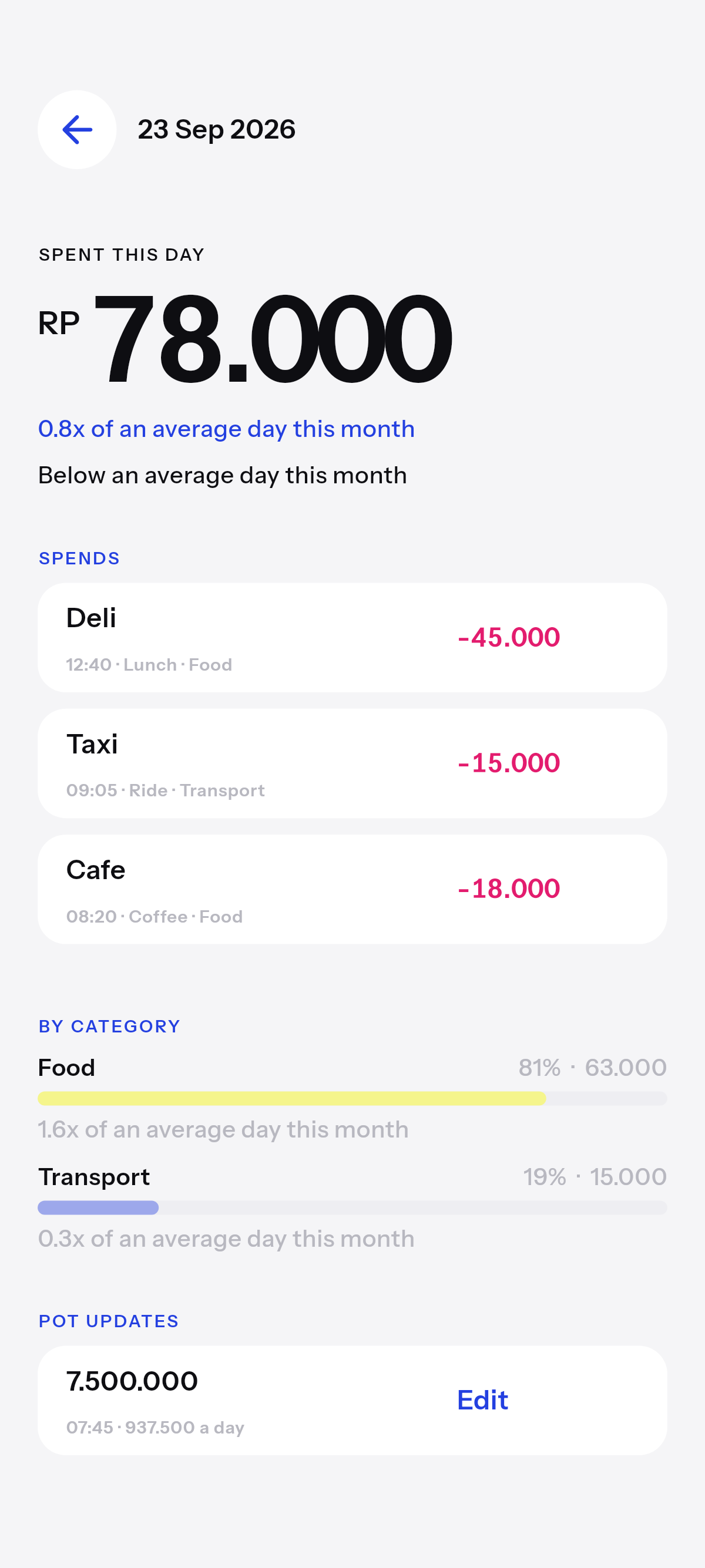
Spends first. Then category bars with a percent. Then budget updates. Compare the day to your average. Edit a mistake — leftover on every day after is handled for you.
Insights
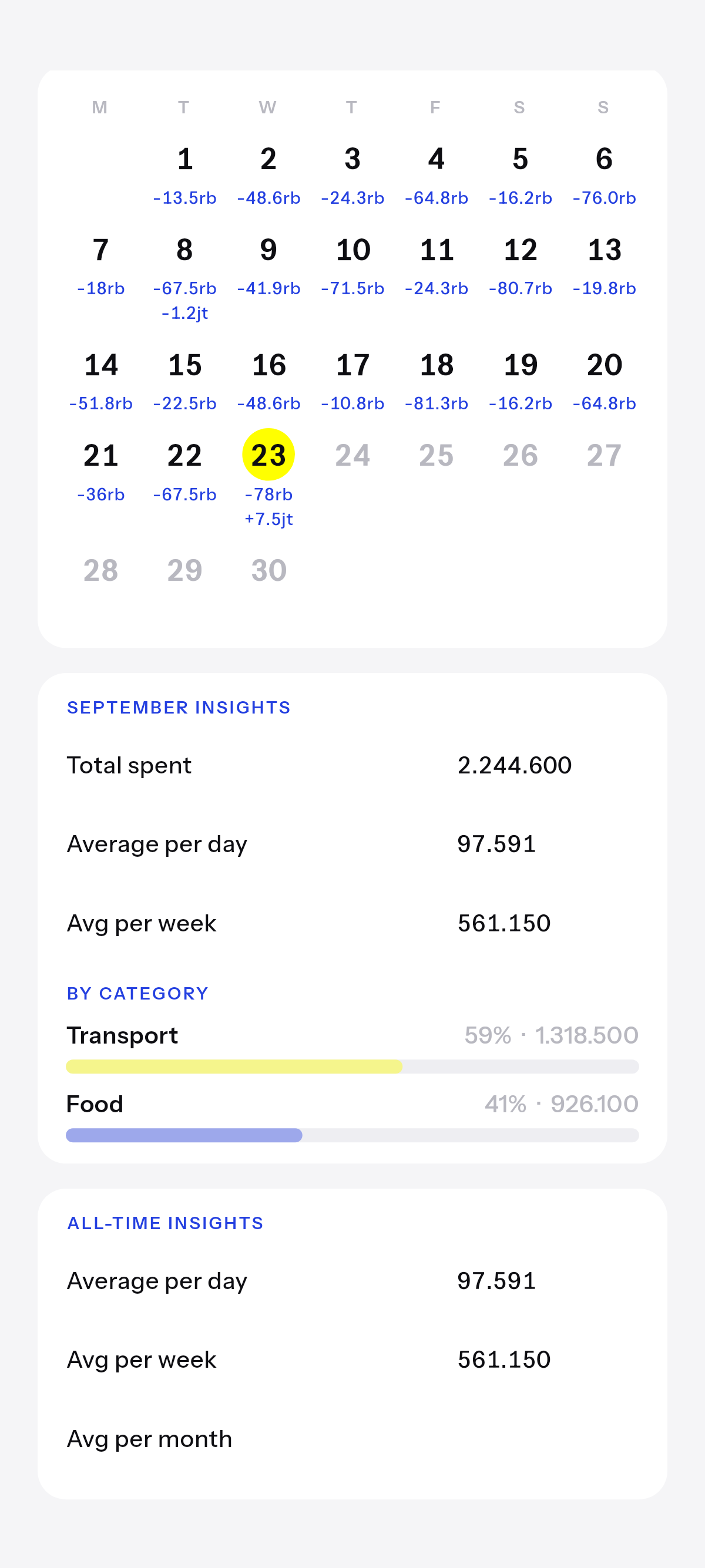
Totals, an average day, spend by category. Below, all-time averages — the longer you log, the clearer it gets. Fourteen days is a glimpse. Plus opens the whole year.
Insights

Spend report
Spend reports · Plus
Pick the days. Yelku on white. Or the numbers on a photo or a video, made in the app. Or just the overlay, for the editor you already use.
Mode
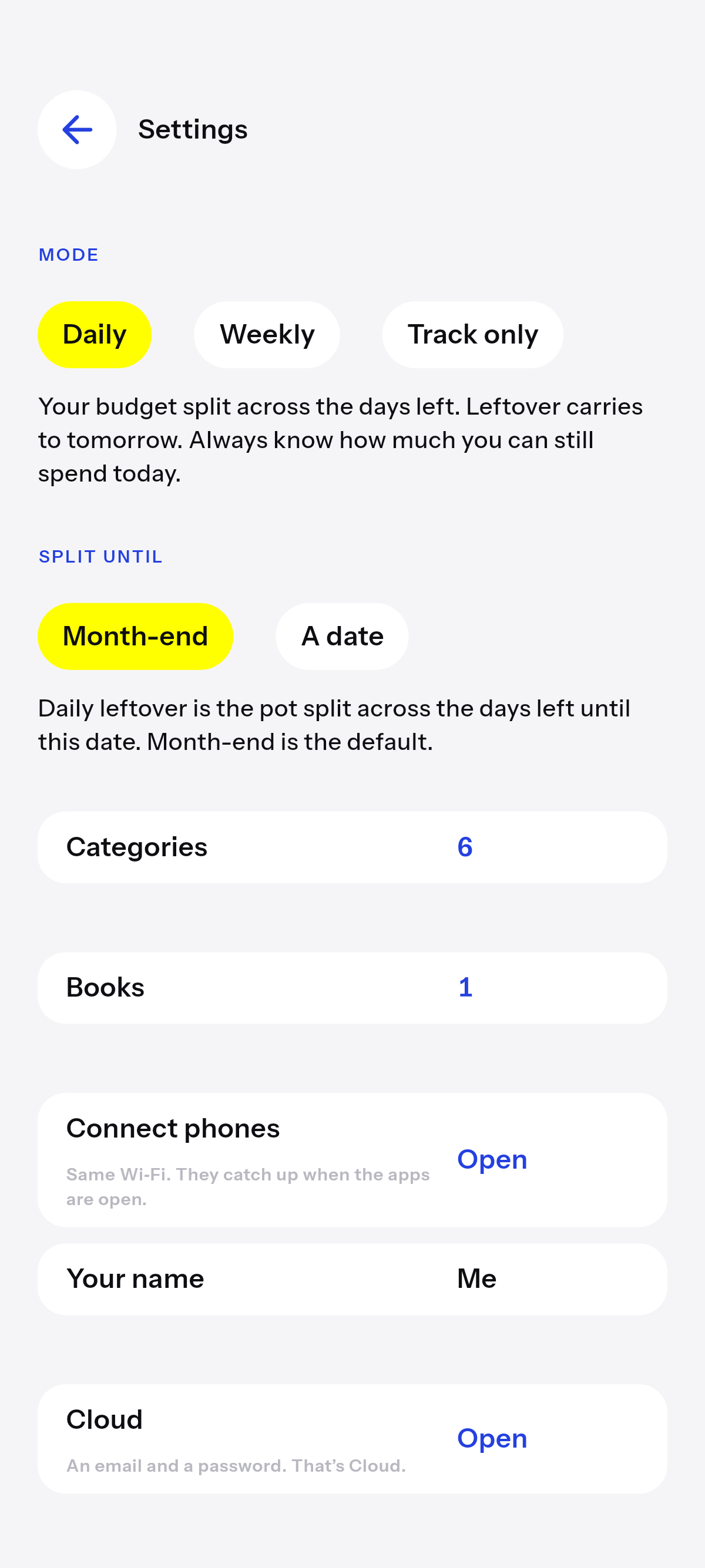
Daily leftover is leftover for today. Weekly leftover is leftover for the week, Monday to Sunday. Track only drops leftover and just records what you spend. Change it any time in Settings. History is one calendar in every mode.
Modes
Also in the app
Daily
The default. What you can still spend today, with yesterday’s leftover as extra if you had it.
Weekly
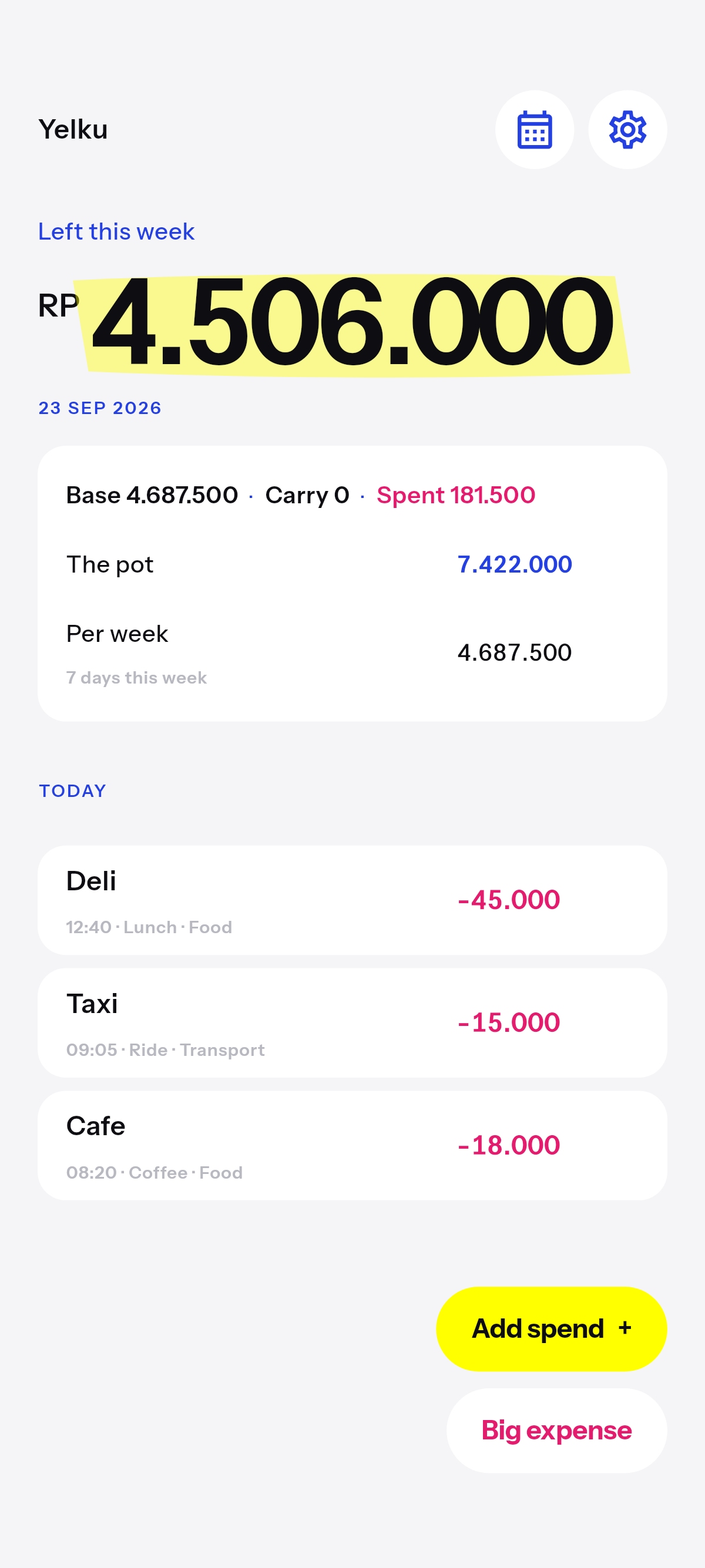
One leftover for the week. Spend across the days however you want. Minus settles when the week closes.
Track only
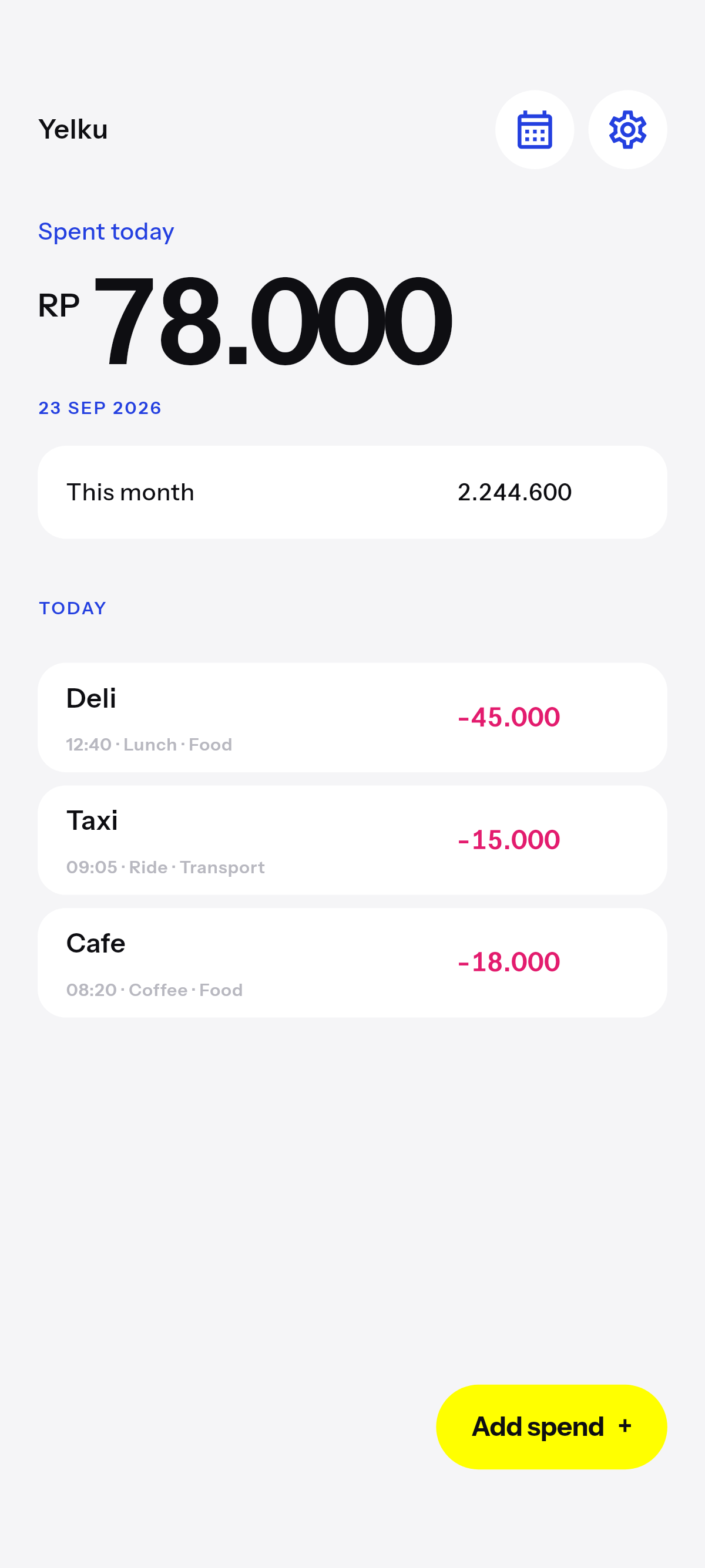
No leftover. Just what you spent today. History is still a calendar.
Books
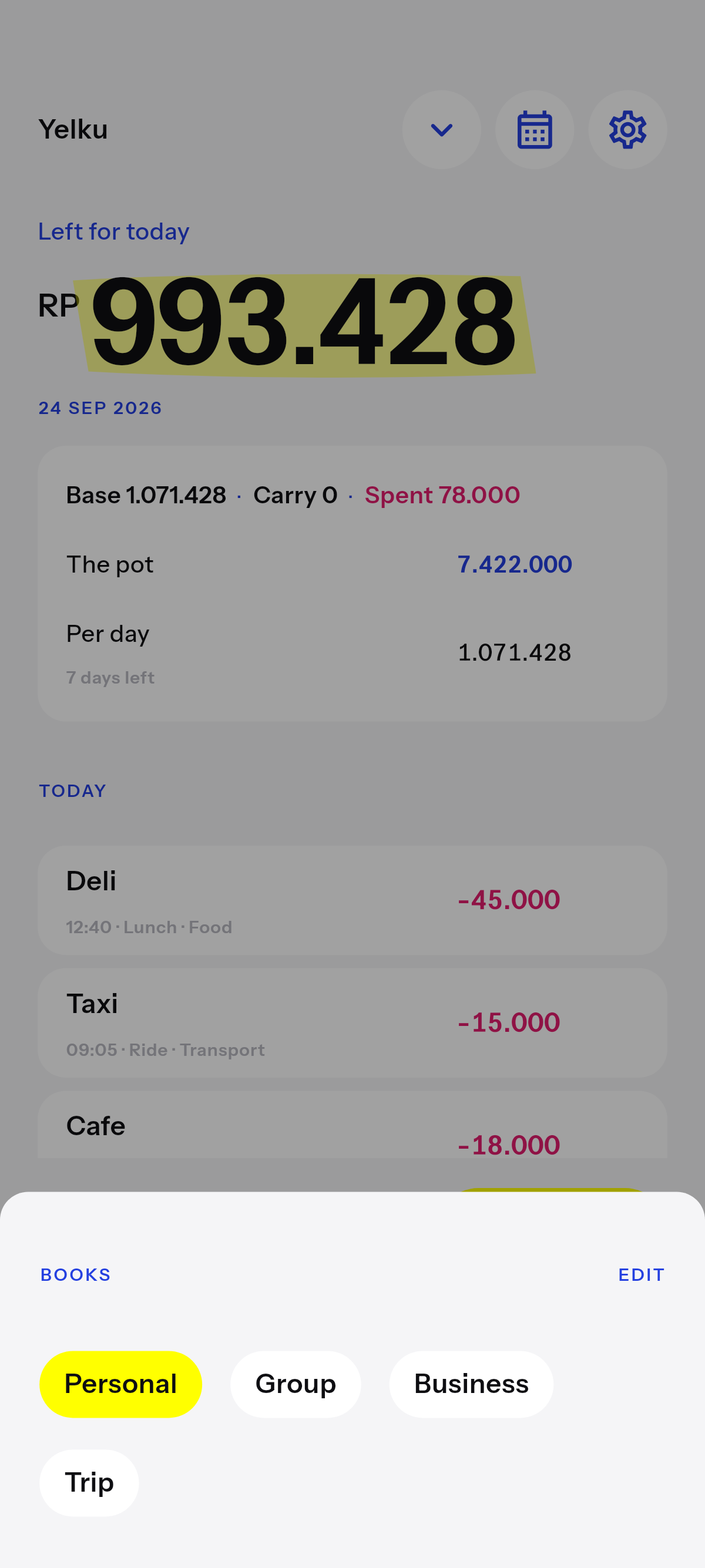
Plus. Each book has its own mode, history, and phones it can connect. Cloud holds every book behind one login.
Group
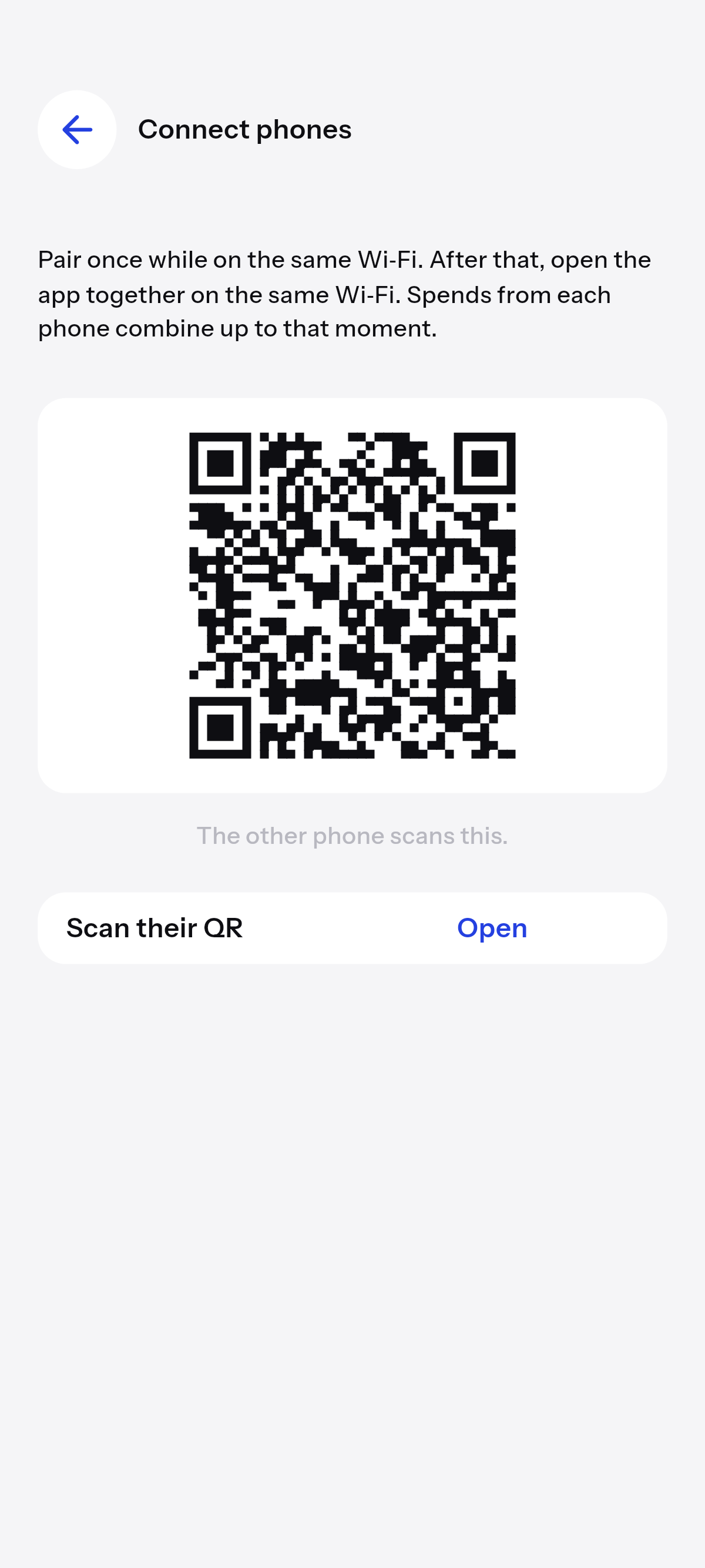
A partner, a friend, the people you share the money with. Same Wi‑Fi: a spend on yours shows on theirs. Cloud keeps the group in step when you are apart. Plus to connect. Cloud needs Plus.
Cloud
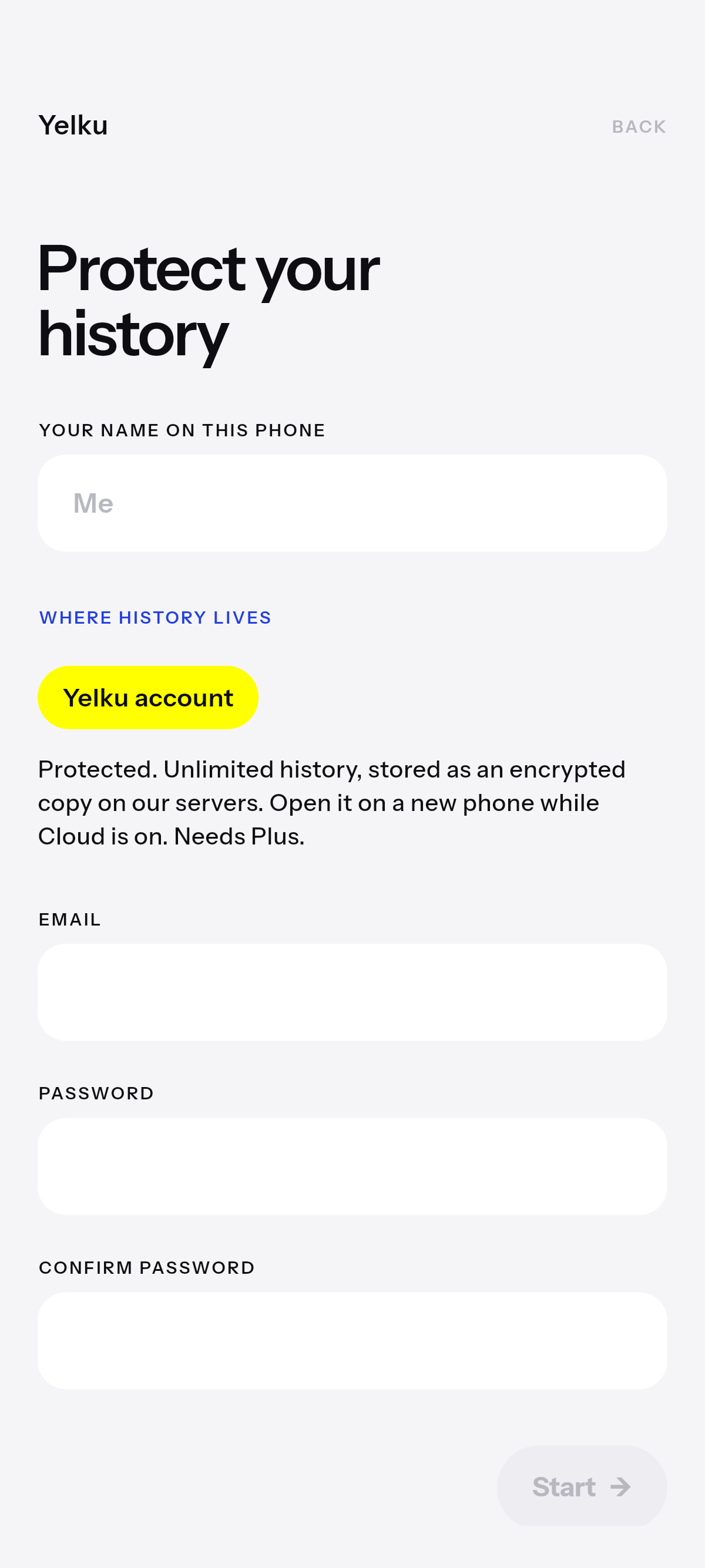
Cloud is the add-on that needs Plus. History is encrypted on this phone before it is sent. Restore with email and a password.
Plus & Cloud
Plus
Zero ads. Every day you have logged — not 14. Spend-report pictures. Multiple books. Group over Wi‑Fi. Who spent. It never expires. It is not a subscription.
$29.99 · one-time
The price at checkout comes from the store for your region.
Requires Plus.
History on a new phone, and a group that stays in step when you are not on the same Wi‑Fi. Annual is featured. Monthly is there.
$34.99 / year
Monthly is $4.99. The price at checkout comes from the store for your region.
Questions
What you can still spend today, or this week. Yelku splits the pot across the days left. Log a spend, and leftover shrinks.
Spend less, and leftover carries to tomorrow as extra. Spend more, and that shortfall lasts only today. Overnight it comes off the pot, and the days left are split again. Only leftover carries.
Leftover and logging, this month on the calendar, and the last 14 days of history. It lives on this phone. No account.
A one-time unlock on this phone. Zero ads, full history, spend-report pictures, multiple books, a group over Wi‑Fi, and who spent. It never expires. It is not a subscription. $29.99. The price at checkout comes from the store for your region.
An add-on that needs Plus. Restore on a new phone, and a group that stays in step when you are apart. Annual is featured: $34.99/year. Monthly is $4.99. The price at checkout comes from the store for your region. Delete it in Settings, or at yelku.com/delete.
Language follows the phone. Currency follows the region. An English phone in Indonesia shows rupiah.
No. Plus can share spend-report pictures. There is no file of the history.
Language follows the phone. Currency follows the region. On the phone first — leftover is a number you glance at.